If you’re revising for high-stakes medical exams, you’ve probably felt this tension:
- you have plenty of notes, but they don’t “talk back”
- you can read guidelines, but you don’t know whether you can apply them under pressure
- you can do questions, but your understanding still feels fragile in unfamiliar scenarios
This is where NotebookLM for studying medicine can be unexpectedly powerful.
Used well, NotebookLM turns your own source material (guidelines, lecture notes, PDFs, policy docs, rotation handbooks) into a structured “oral examiner” that interrogates you, forces recall, and exposes gaps — without you having to build an entire question bank from scratch. :contentReference[oaicite:0]{index=0}
It’s also genuinely accessible: there is a free tier with clear limits, and paid tiers bundled into Google’s AI plans (formerly “AI Premium”, now “Google AI Pro”), with higher limits depending on plan. :contentReference[oaicite:1]{index=1}
What NotebookLM is (and what it’s for)
NotebookLM is Google’s AI-powered “research assistant” style notebook: you upload or link your sources (PDFs, websites, YouTube videos, audio files, Google Docs/Slides), then you can chat with the notebook and generate study outputs grounded in those sources. :contentReference[oaicite:2]{index=2}
Two capabilities matter for exam prep:
- grounded Q&A with inline citations back to your sources (so you can audit what it’s relying on) :contentReference[oaicite:3]{index=3}
- rapid study artefacts (study guides, mind maps, audio overviews, flashcards, quizzes, etc.) to convert static notes into active recall. :contentReference[oaicite:4]{index=4}
“cheap” in practical terms (how access works)
- NotebookLM has a free tier with explicit daily and notebook/source limits. :contentReference[oaicite:5]{index=5}
- Higher limits and additional features are available via Google AI plans (e.g., Google AI Pro / Ultra), and NotebookLM is listed as a benefit in those plans. :contentReference[oaicite:6]{index=6}
(For example, Google’s own help documentation lists tiered limits for notebooks, sources, chats, and outputs across “Standard/Plus/Pro/Ultra”.) :contentReference[oaicite:7]{index=7}
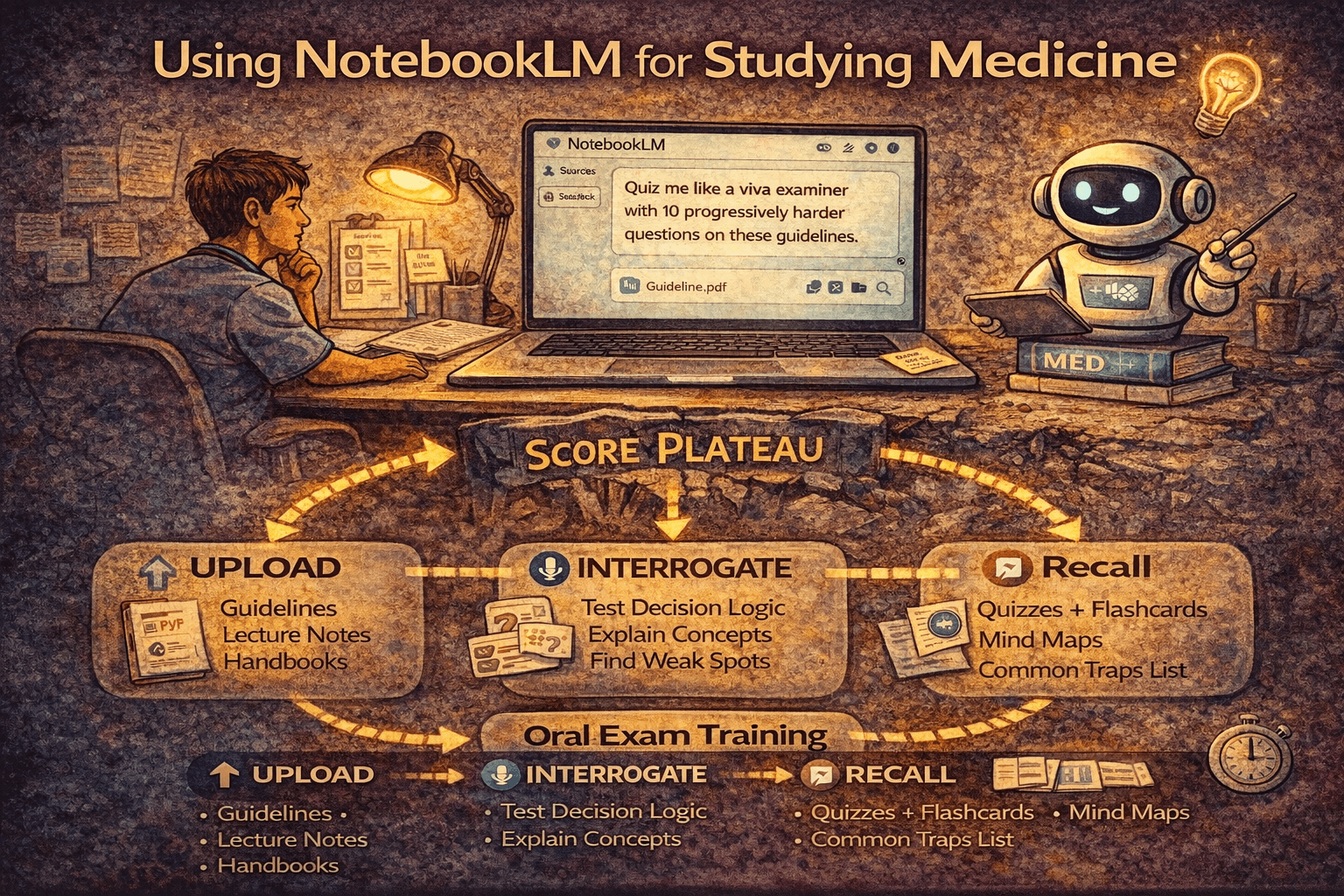
The “upload → interrogate → recall” loop
The best way to use NotebookLM for medical exams is not “summarise my notes”. It’s:
1) Upload (curate ruthlessly)
Start with authoritative, stable sources:
- exam blueprints / official outlines
- national guidelines you trust
- your own curated notes after you’ve cleaned them up
NotebookLM supports common medical revision inputs (PDFs, websites, docs, slides, audio, YouTube links). :contentReference[oaicite:8]{index=8}
Tactical tip: build one notebook per exam or major unit (e.g., “Step 2 CK – cardio/pulm emergencies”, “MRCGP SCA consultation structure”, “MCCQE Part I – preventive care + screening”). This prevents your “oral examiner” from mixing contexts.
2) Interrogate (make it behave like a viva examiner)
Instead of asking for a summary, ask for questioning that forces decisions and justification.
High-yield prompt patterns:
-
viva laddering
- “Ask me 15 viva questions, increasing difficulty, on this guideline. After each answer, grade me and explain what I missed, citing the exact source passage.”
-
management sequencing
- “Give me 10 scenarios where the main skill is ‘what do you do first?’ Include common traps and cite the source lines.”
-
compare/contrast
- “Compare condition A vs condition B in a table: differentiating features, first-line management, red flags. Then quiz me on the differences.”
-
edge cases
- “Generate five borderline cases where two options seem plausible. Explain how to decide between them using the guideline text.”
-
teach-back
- “Ask me to explain this concept as if to a junior. Then critique my explanation for missing steps or unsafe phrasing.”
3) Recall (convert into retrieval artefacts)
Once NotebookLM has exposed gaps, convert them into formats you can actually review:
- flashcards (especially short “if/then” decision rules) :contentReference[oaicite:9]{index=9}
- mind maps / concept maps for structure and connections :contentReference[oaicite:10]{index=10}
- “common traps” lists that target repeated errors
- short quizzes that force switching between topics :contentReference[oaicite:11]{index=11}
This is the practical meaning of “AI study notebook medical exams”: it turns passive reading into structured retrieval.
How to use it without creating misinformation debt
“Misinformation debt” is what happens when you generate large volumes of flashcards, summaries, or “facts” that you never properly audit — and then you revise from those outputs later as if they were authoritative.
NotebookLM reduces this risk if you force it to stay grounded.
Guardrails that actually work
-
Always demand citations NotebookLM is designed to provide grounded answers with inline citations to your sources. :contentReference[oaicite:12]{index=12}
Make it a rule: if it can’t cite, you treat it as untrusted. -
Ask it to quote the specific passage it relied on You’re not trying to “trust the model”; you’re trying to verify the source.
-
Keep your notebooks source-pure Don’t mix:
- high-quality guidelines with random blog posts
- exam content with personal anecdotes
- multiple countries’ practice standards in one notebook
- Use “scope locks” Prompts like:
- “Answer only using the uploaded sources. If the sources don’t cover it, say so.” match how NotebookLM is intended to operate as a source-grounded tool. :contentReference[oaicite:13]{index=13}
-
Know where citations can fail Google notes that if source content is too short, NotebookLM may reference the whole document rather than giving a precise citation snippet. :contentReference[oaicite:14]{index=14}
So for tiny notes, prefer consolidating them into a single richer source or add context. -
Treat outputs as “drafts” until proven Especially for:
- drug doses
- contraindications
- thresholds
- pregnancy/paeds nuance
If it matters clinically, verify in the source every time.
Best outputs for medical exam performance
NotebookLM is most effective when you use it to generate performance outputs, not just summaries.
1) viva-style questioning (your “oral examiner” mode)
Best for:
- explaining reasoning out loud
- building structured answers
- practising under mild pressure
2) concept maps and mind maps (structure without rewriting notes)
NotebookLM can generate mind maps from your sources. :contentReference[oaicite:15]{index=15}
Use these to:
- organise a topic quickly
- spot missing branches (the gaps you didn’t know you had)
3) compare/contrast drills
Perfect for:
- “similar presentations” (e.g., two causes of abdominal pain)
- “two plausible answers” questions
- discriminating features and first steps
4) “common traps” and “examiner interruptions”
Have it generate:
- the five most common traps learners fall into for this topic
- the questions an examiner would interrupt you with mid-answer Then practise responding calmly and concisely.
5) flashcards and micro-quizzes (fast conversion to retrieval)
NotebookLM supports flashcards and quizzes with plan-based limits. :contentReference[oaicite:16]{index=16}
This directly targets “turn notes into flashcards AI” workflows without you having to write every card manually.
Pairing NotebookLM with iatroX + Anki (adaptive q-bank → cards → spaced reviews)
A strong 2026 study stack is rarely “one tool”. It’s a loop.
The stack (simple and effective)
-
iatroX (adaptive q-bank and analytics)
- use it to generate signal: what you consistently get wrong
- keep revision aligned with your exam via country/exam tagging (UK/US/Canada/Australia) :contentReference[oaicite:17]{index=17}
-
NotebookLM (source-grounded oral examiner)
- upload the authoritative material for your weak areas
- interrogate yourself viva-style
- produce compare/contrast + traps + draft flashcards :contentReference[oaicite:18]{index=18}
-
Anki (spaced repetition)
- turn only the highest-yield, source-verified rules into cards
- review on schedule (Anki is explicitly built around showing you what you’re most likely to forget). :contentReference[oaicite:19]{index=19}
The workflow in one paragraph
Use iatroX to identify repeat error clusters, use NotebookLM to force explanation and correct decision logic from uploaded sources, then commit the distilled “rules” to Anki for spaced retrieval. This prevents plateauing because your study time is continuously redirected toward your actual error patterns rather than your comfort topics. :contentReference[oaicite:20]{index=20}
FAQ
Is NotebookLM good for studying medicine?
Yes, if you treat it as a source-grounded interrogator: upload authoritative materials and force viva-style questioning with citations. :contentReference[oaicite:21]{index=21}
What’s the difference between the free tier and paid plans?
Google documents tiered limits (e.g., notebooks, sources per notebook, daily chat queries, and daily outputs like audio overviews/flashcards/quizzes) and indicates you can upgrade via Google AI plans for higher limits. :contentReference[oaicite:22]{index=22}
Can NotebookLM replace a qbank?
No. A qbank trains exam-specific pattern recognition and timing. NotebookLM is best as a supplement for understanding, viva-style recall, and converting sources into retrieval artefacts. :contentReference[oaicite:23]{index=23}
How do I stop it from hallucinating?
You don’t “stop hallucinations” directly; you constrain the task:
- ask it to answer only from your sources
- require citations
- verify any high-stakes details against the uploaded material :contentReference[oaicite:24]{index=24}
What are the best NotebookLM outputs for exams?
Most candidates get the most value from:
- viva-style questioning
- compare/contrast tables + common traps
- mind maps
- flashcards/quizzes (with verification) All are supported output types in Google’s documentation for NotebookLM capabilities and limits. :contentReference[oaicite:25]{index=25}