For years, GPnotebook has been the default "open tab" on GP desktops across the UK. But with the introduction of strict page limits for free users, many clinicians are facing a decision: upgrade to GPnotebook Pro or look for alternatives.
Is the subscription actually worth it? If you are a high-volume user who relies on it for CPD tracking, the answer is likely yes. If you just need quick answers, the maths might not stack up. Here is the breakdown.
What you get in Pro
The core pitch of GPnotebook Pro is that it turns your daily "looking things up" into verifiable CPD. Instead of just reading a page on Hyponatraemia and closing the tab, Pro captures that activity.
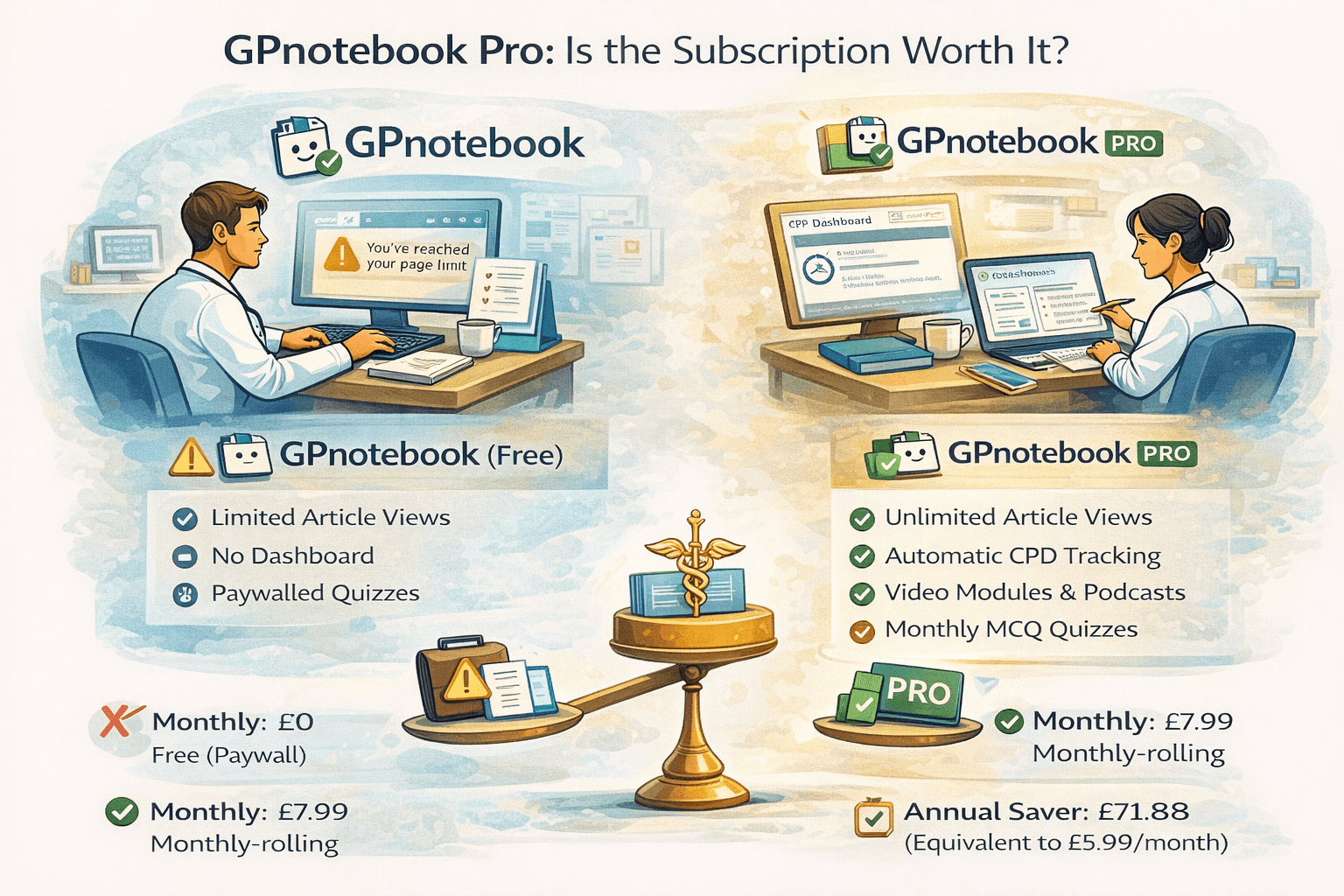
Unlimited Access: no more "You have reached your limit" popups. Automatic CPD Tracking: every page view and video watch is logged. You can add reflective notes and export a PDF report for your annual appraisal. Pro-Only Content: access to GPnotebook TV video modules and specific deep-dive podcast episodes. MCQ Quizzes: monthly quizzes that test your knowledge on recent updates, also tracked for CPD credits.
Pricing and cancellation
The pricing structure is simple, with a significant incentive to pay annually. Monthly: £7.99 per month, rolling contract. Annual: £71.88 per year, equivalent to £5.99 per month. Prices include VAT.
Cancellation: you can cancel the monthly subscription at any time via your account dashboard. It does not tie you into a long-term contract unless you choose the annual saver option.
Who Pro is for (3 personas)
The "Locum/Salaried" needing hassle-free CPD: current RCGP guidance asks for relevant learning across your whole scope of practice, reflected on meaningfully, not a fixed national credit total, and there is no set number every GP must reach. What Pro genuinely solves is the administrative panic of reconstructing a year's learning from memory in March. The ability to just "do your job" and have a system passively record your reading activity throughout the year, ready to select from at appraisal time, is worth the £72 alone for anyone who finds themselves scrambling at the last minute.
The GP Trainee: the value here is lower. You likely already have a portfolio, FourteenFish or Kaizen, and access to other funded resources. Unless you specifically love the GPnotebook video style, you might find the passive tracking less useful than active case logs your training programme already requires.
The ACP/ANP: high value. GPnotebook's concise style is often perfect for the specific scope of Advanced Clinical Practice. The Study Groups and video content can be excellent evidence of maintaining clinical currency in a specialised role.
Better-value stacks
Depending on your primary goal, you might build a better stack of tools for less money.
Stack A, the "CPD Hunter": goal, passive CPD collection. Tool, GPnotebook Pro at £71.88 a year. Why: it is the only tool in this stack that automates the admin of reading, converting time you were spending anyway into a ready-made, selectable record.
Stack B, the "Point-of-Care Speedster": goal, fast answers in consults. Tool, free GPnotebook with its page limit, plus CKS summaries plus AI search. Why: you rarely need the deep archive for quick checks. The free tier of GPnotebook combined with open-access NICE CKS covers most "what is the dose?" queries without a cost.
Stack C, the "Exam Candidate": goal, passing AKT or MSRA. Tool, a dedicated Q-bank plus iatroX. Why: GPnotebook Pro's quizzes are good for general updates, but they are not exam-focused. You are better off spending your budget on a question bank and using a free adaptive engine for retention.
Where iatroX fits
If you are looking for a clinical search tool that does not hit you with a paywall after a handful of pages, iatroX is the modern alternative.
Always Free: the core clinical search and iatroX pages are free to access with no article limits. No Ads: unlike the free version of legacy sites, which can be cluttered with pharma ads, iatroX remains clean. Adaptive Learning: while GPnotebook Pro tracks what you read, iatroX tests if you learned it. Its built-in adaptive quiz engine uses spaced repetition to ensure that the guideline you looked up today is actually retained next week, and My CPD packages that assessed learning, question sessions, Tutor-diagnosed corrections and delayed retests, into appraisal-ready records rather than a log of pages viewed.
FAQ
What happens after the trial? When you create a new account, you typically get a trial of Pro features. Once this ends, your account reverts to Standard. You will lose access to the CPD dashboard and hit the monthly page-view limit, but your account data remains safe.
Can I export my CPD to FourteenFish? GPnotebook Pro allows you to export a PDF summary. You will still need to upload this PDF manually to your FourteenFish or appraisal toolkit; there is no direct API sync at this time. For a fuller comparison of GPnotebook Pro against the other CPD-capture layers currently available, see our dedicated GP appraisal tools guide.
Frequently asked questions
How much CPD do I actually need to log to satisfy my appraiser?
There is no fixed national credit total; current RCGP guidance asks for a proportionate, well-reflected sample of your most relevant learning across your whole scope of practice, which is why a passive tracking tool like GPnotebook Pro is best used to build a pool you then select from, not as a target to fill.
Is GPnotebook Pro a replacement for a full appraisal toolkit like FourteenFish?
No: it is a learning and CPD-capture layer specifically, tracking activity and producing exportable records, while the actual appraisal workflow, appraiser access and final submission still run through a separate system of record.
Does the passive tracking risk generating too much low-value volume?
It can, if used uncritically: a long list of page views is less useful to an appraiser than a small number of entries with genuine reflection attached, so treat the Pro dashboard as raw material to curate from rather than a finished portfolio.